Categories


Price: 109.01 GBP
Disclaimer: Some of the links on this website are affiliate links, meaning we may earn a commission if you click through and make a purchase. This comes at no additional cost to you.
By clicking the button above, you acknowledge that you will be redirected to a third-party website and agree to their terms and conditions.
Log in to manage favorites.
Similar Products
-
 ScreenBeam 960 Mounting Kit
-
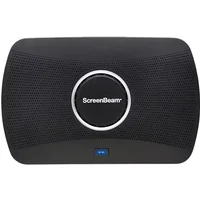 ScreenBeam 1100P BYOM inc 3 Years Administrative Tools & 3 Year Warranty wireles...
-
 ScreenBeam 1100P BYOM inc 3 Year Warranty wireless presentation system HDMI + US...
-
 ScreenBeam Edu Gen2 inc 3 Years Administrative & Instructional Tools & 3 Year Wa...
-
 ScreenBeam 960 inc 2 Year Warranty AV receiver Black

ScreenBeam USB Pro Switch for 1100P Black 1 pc(s)
While UCC platforms such as Microsoft Teams Room (MTR) provide a simple experience for in-room participants to start Teams meetings they are limited in how well they bridge the gap between people across a hybrid work environment. Simple things such as wireless content sharing from a personal device during an MTR hosted meeting require in-room participants to join the meeting just to share content.N/AN/AIf your meetings take place on UCC platforms other than Microsoft Teams your options to join are limited. If the room display is touch-enabled MTR limits presenters abilities to utilize those very productive features.N/AN/A USB Pro Switch intelligently enhances UC room integration N/AScreenBeam USB Pro Switch overcomes these challenges and enhances UC room integration when paired with a ScreenBeam 1100 Plus wireless display receiver. USB Pro Switch allows MTR to seamlessly co-exist with Bring Your Own Meeting (BYOM) and In-Room wireless presentations by intelligently sharing the room resources. ScreenBeam enables the room assets such as the camera microphone speaker and touchscreen display capabilities to be shared regardless of the room configuration.N/AN/ANot every meeting space is equipped with an MTR. So for those spaces ScreenBeam USB Pro Switch provides users the flexibility to choose to go wireless or wired for their BYOM session allowing guest presenters with locked down devices to still drive the meeting.N/AN/AEnables MTR BYOM and in-room wireless presentations without additional room resource devicesN/AEnhances MTR meetings by adding wireless content sharingN/ASupports annotation on touch displays during wireless content sharing sessionsN/AFor rooms without an MTR adds hardwire support for both HDMI displays and USB CamerasN/AN/A Unlock all your meeting room scenariosN/Awith ScreenBeamN/ABYOM Wireless or WiredN/AN/AFor rooms without a UC platform ScreenBeam USB Pro Switch provides support for either BYOM or wired connections: N/AN/A- User connects to ScreenBeam using SB Conference for both in-room wireless presentation and BYOM meetings on UC platform of choiceN/A- Optionally user can connect using cables on conference room table. ScreenBeam USB Pro Switch automatically switches camera to appropriate device. ScreenBeam 1100 Plus will default to wired connection.N/A- Additionally user can connect wirelessly for presentation and use USB cable to connect to the room cameraN/AN/A BYOM Plus MTR (shared camera only)N/AFor rooms configured with MTR but user wants to add flexibility of BYOM for non-MTR meetings: N/AN/A- User can host/join MTR meeting using in room controller. Then connect to the ScreenBeam 1100 Plus for content sharing.N/A- Optionally user can deploy ScreenBeam Conference to connect to ScreenBeam 1100 Plus for BYOM (non-MTR meeting) camera will auto switch to the ScreenBeam 1100 Plus. Camera defaults back to MTR when BYOM session ends.N/A- Additionally user can connect with ScreenBeam 1100 Plus for in-room wireless presentation for non-UC meetings.N/AN/A BYOM Plus MTR (shared camera and touchscreen)N/AFor users that desire the ultimate flexibility of a MTR with content sharing BYOM plus touch display support two ScreenBeam USB Pro Switches are required: N/AN/A- User can Host/Join Teams meetings using the MTR Controller. User then connects to the ScreenBeam 1100 Plus for content sharing with touch display support during MTR meeting.N/A- Optionally user can deploy ScreenBeam Conference to connect to ScreenBeam 1100 Plus for BYOM (non-MTR meeting). The camera and touchscreen automatically switch to ScreenBeam 1100 Plus and defaults back to MTR when BYOM session ends.
Product information updated: 30 Oct 2026
Disclaimer: Product information, including title, description, and images, is sourced/provided by our affiliate partner: Quzo UK.
Disclaimer: Some of the links on this website are affiliate links, meaning we may earn a commission if you click through and make a purchase. This comes at no additional cost to you.
By clicking the button above, you acknowledge that you will be redirected to a third-party website and agree to their terms and conditions.
Product information, including title, description, and images, is sourced/provided by our affiliate partner: Quzo UK.
Share this product with a friend:
Refer a friend and earn 0.05 CEC when they click the link, plus an additional 1.00 CEC if they register. Share this Product and boost your earnings together!
Log in to manage favorites.
Similar Products
-
ScreenBeam 960 Mounting Kit
-
ScreenBeam 1100P BYOM inc 3 Years Administrative Tools & 3 Year Warranty wireles...
-
ScreenBeam 1100P BYOM inc 3 Year Warranty wireless presentation system HDMI + US...
-
ScreenBeam Edu Gen2 inc 3 Years Administrative & Instructional Tools & 3 Year Wa...
-
ScreenBeam 960 inc 2 Year Warranty AV receiver Black
Share this product with a friend:
Refer a friend and earn 0.05 CEC when they click the link, plus an additional 1.00 CEC if they register. Share this Product and boost your earnings together!